


The black hole wakes up
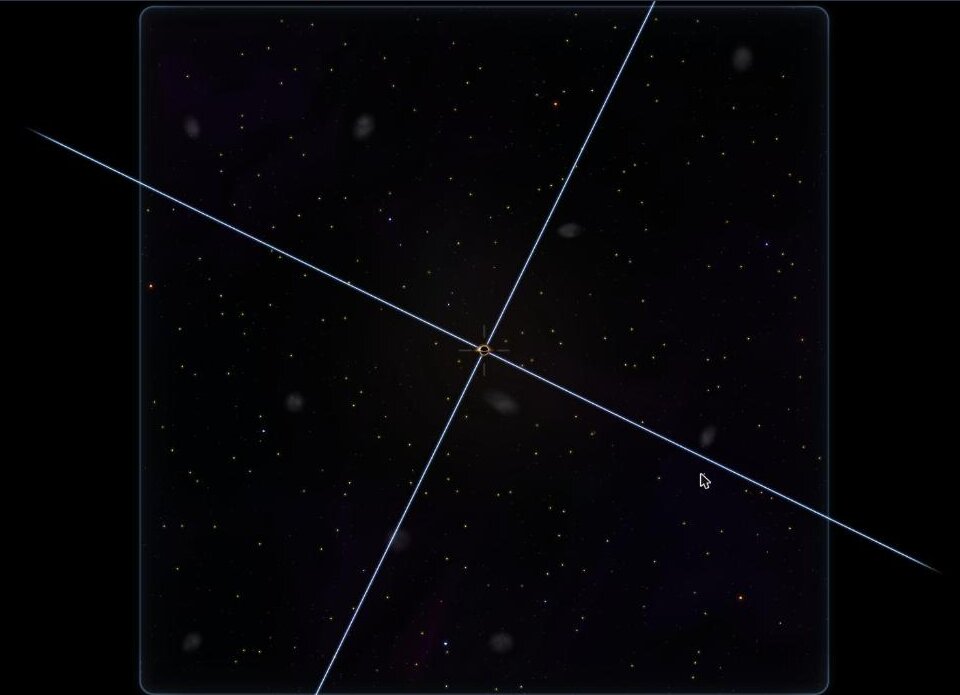
Once an alliance holds 40% of the galaxy's population, the galaxy strikes back. Until now that always brought the Worm Swarm. From this arena on it is one of two, picked at random: the Worm Swarm or the new Quasar. It happens once per arena.
The quasar is announced 120 days (12 hours IRL) before it ignites. Then the black hole throws four jets from the center to the edge of the galaxy and cuts it into quarters. Nobody knows where they will burn until they do.
When the jets ignite, every planet in their path is destroyed, with everything on it. After that the jets burn until the arena ends.
Every day a ship spends inside a jet costs it half of its max hit points, so a second day inside finishes it. A fast ship can cross between two days, a slow one will not make it. Got hit? Get out before the next day.
Wormholes and portals are the safe way into another quarter. The jets never cross a wormhole.
Your ships, at a glance
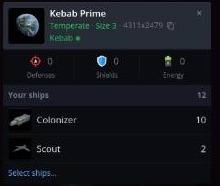
When you click a planet or a spot in space, the card now lists Your ships. Each fleet gets a line with its name. Ships outside a fleet get a line per design, with a picture and a count.
Click a line to look inside: the fleet's ships, or the ships of that design. Double-click it to give the whole line an order at once. Ships of other empires get their own list below yours.
The card also stays inside the map now, and scrolls when the list is long.
Paint your own borders
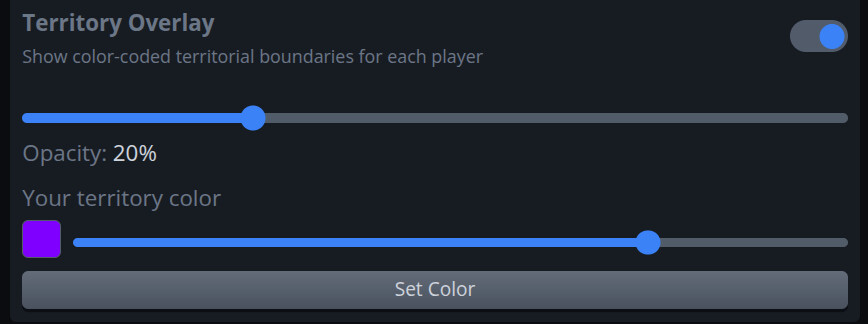
Don't like the color the map gave your empire? Open Map Settings, turn on the Territory Overlay, pick Your territory color and click Set Color. Only you see it, like the color labels you give other empires.
Watch your progress grow
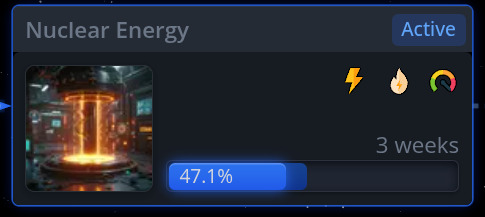
Science and production only land when the week turns, so the bars used to sit still all week. Now they fill up live: the part you have banked is solid, and the progress you can expect by the end of the week shows in a darker shade, with the percentage next to it.
You see it on the research tree, on the research you are working on, on your planets' production and on the map. Prefer the old bars? Switch off Live progress bars in Settings.
Pick your spy targets faster
When you send a spy on a mission, the list of target empires can now be sorted by Rank, their place on the leaderboard, or A-Z by name. The strongest rivals are at the top in one click.
A place to practice
There is now a practice arena. It's a fast galaxy where a day takes 2 minutes, with no AI empires, no victory race and no galaxy events. It is rebuilt every week, so nothing you do there sticks.
New players go there right after signing up, so they learn the game before joining a real arena. Everyone else finds it on the dashboard: click Enter the practice arena to try a strategy, test a ship design or show a friend the ropes.
When the practice arena has been reset, the game tells you and offers a real arena or another go at practice.