Ship Refit, a clearer Resources page and smarter scouts
Ship Refit
Your designs improve all game long, but until now the ships you already built were stuck with the design they left the shipyard with. Not anymore: ships can now be rebuilt into another of your designs at an Orbital Refit Dock.
Orbital Refit Dock (after Superconducting Materials) is a new planet building, one per planet. It does one thing: ships in orbit of that planet can be refitted there. It costs 10 credits a week to run and cannot be bought with ore. There are no slots, so a whole armada can refit at once.
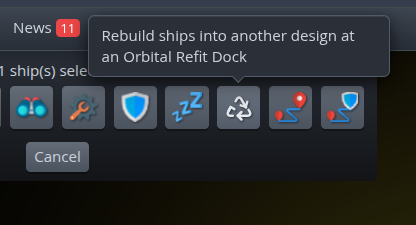
Select your ships on the map, give them their orders, for example a move to the dock planet, and press the new Refit button.
One new button in the ship orders: rebuild your ships into another design at an Orbital Refit Dock
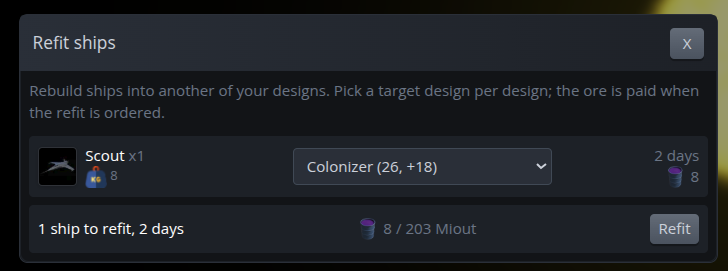
The Refit screen shows one row per design in your selection. Pick a target design for each, and you see the days and the ore it will take before you commit. Any of your other designs can be the target, bigger or smaller. Refit is a normal step in the order chain, so move, refit and move on works, and after the refit the ship flies at the speed of its new design.
The Refit screen: pick a new design per ship type and see the days and ore before you commit
What a refit costs
You only pay for what is new. Parts the ship keeps are free, the parts the target design adds are paid for, and a change of frame rebuilds the whole ship at full cost. A cheap weapon swap takes a day and about 1 ore; going from a Large to a Giant frame takes 12 days and about 66 ore.
The ore is the level 2 partner of your home world's level 3 ore, so a Temperate home world pays in Miout. It is paid when you give the order. Change your mind before the refit starts, or lose the dock before then, and you get it back; once the countdown runs, cancelling loses both the ore and the progress.
Fleets cannot refit, but ordering a single ship from the map takes it out of its fleet. There is one refit per order chain, and moons can never be refitted.
Veterans keep their stripes
A refitted ship keeps its experience, veterancy tier, kills and battles, and a damaged ship keeps the same share of its hit points. Your Legendary fighter can come back as a Legendary battleship on a bigger frame.
Caught in the dock
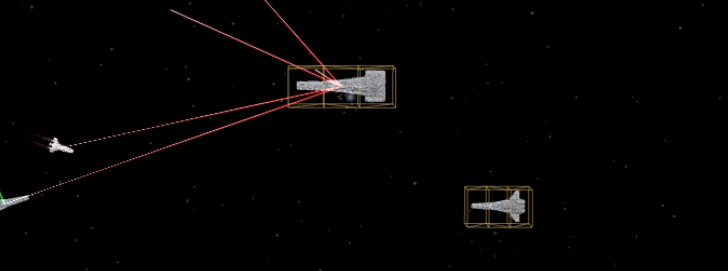
A ship under refit is a sitting duck. It stays in orbit, still costs maintenance, can be shot and destroyed in battle, but never fires back, and it will not join an ally's attack. In battle replays refitting ships sit in scaffolding with welding sparks flying, and battle reports flag them. Pick a quiet planet for your dock, or guard it well.
Caught in the dock: ships under refit sit in their scaffolding and cannot fire back
Copy chat messages
Every chat message now has a copy button. Hover a message and click it to copy the text.
The new copy button next to a chat message
A clearer Resources page
The Resources page got a new look. Conveyors are now pipes in the colour of their ore, with the ore glowing as it flows. The number on a pipe is how much ore moves through it per week; hover it for details.
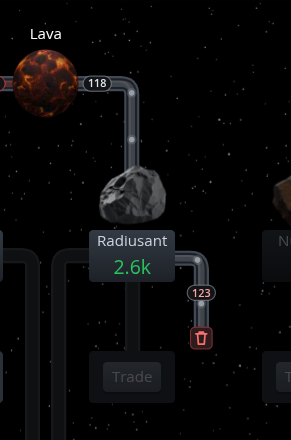
Lost ore is now visible. If your storage was full during last week's ore turn, the extra ore was thrown away. A red-numbered pipe now drains out of that ore's tile into a bin, showing how much you lost, and the storage bar shows the total per ore. The rules did not change; you can just see it now. Build more storage, or use the ore before it overflows.
Storage was full: the pipe into the bin shows how much Radiusant was thrown away last week
Parts of the chain you don't use yet are shown darkened in their own colours and light up on hover. A refinery, harvester or tech you still need tells you what to do next, and clicking it takes you straight to that building or tech.
Buy from the queue
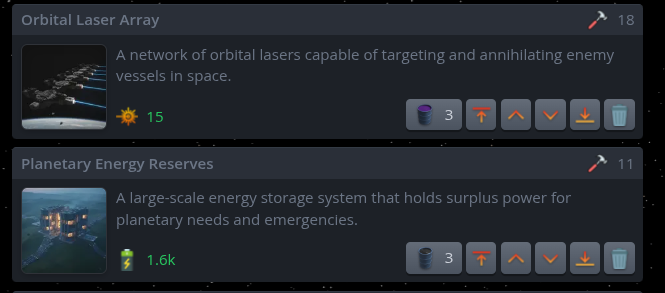
Every card in your planet's build queue now shows its production cost in the top right, next to the hammer: the production points your planet has to put in to finish it. Ships show the cost of their design.
The hammer shows the production cost; the ore button buys the building outright
Scouts now explore wormholes
Scouts on Explore have learned a new trick. Before, they only visited stars and ignored wormholes completely, even when one sat right next to them. Now they treat a wormhole as something worth exploring.
Reinforcements routing improvements
Reinforcements now fly through portals and wormholes on their own, even several in a row, when that is the shorter way to catch up with their fleet.
Galaxy map fix: the coordinates and copy button in the planet popup no longer get cut off by long planet names in some languages.